
Google Scholar
Google Scholar is a freely accessible citation database that, by searching for specific keywords, allows you to locate texts of academic literature such as articles, theses, dissertations, books, preprints, conference proceedings, abstracts, reviews, and citations. The scope of this tool is very broad: in addition to the main academic publishing houses, Google Scholar enables users to search for physical and/or digital copies of resources from online libraries.
A useful feature is the ability to configure this search engine by connecting it to the catalog of one or more favorite libraries, so that the search queries launched on Google Scholar directly query those catalogs. This will allow you to be directed not towards generic resources but towards those you can access more easily, both among the print collections of the SNS Library and the digital resources available in full text.
Here are the simple steps to follow to set our SEARCH catalog as your preferred search engine for Google Scholar (note that you must be authenticated on your sns/google account):
- open Google Scholar
- click on the menu at the top left (icon with 3 horizontal lines)
- click on Settings
- select Library Links
- type “Biblioteca Scuola Normale” in the search box and start the search
- select “Scuola Normale Superiore Library - Full text accessibile”
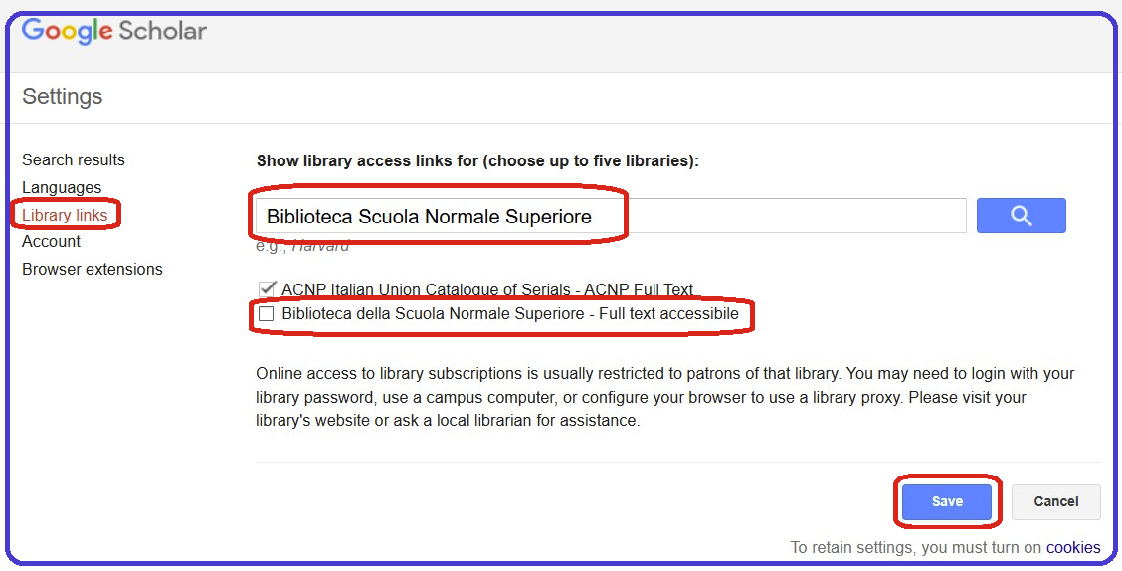
- you can also select other libraries of your interest (for example, University of Pisa) or collective catalogues (such as ACNP Catalogo Italiano dei Periodici [Italian Journals Catalogue] - ACNP Full Text)
- click on Save
- to keep these settings in future sessions, you must enable cookies on your browser (see instructions for Safari, Firefox, and Chrome; remember that if you want to keep cookies disabled, you must indicate an exception for the URL https://scholar.google.com/)
The setup is complete.
From now on, every time you launch a search in Google Scholar, the system will give you additional information on the availability of the bibliographic resources retrieved by the selected sources you set up (SNS SEARCH, ACNP, UniPI catalogue, and so on).
Google Scholar shows you the availability of a full text, thanks to open reuse licenses or subscriptions for access that have been signed by the Library.
When articles are unavailable in digital format, it is advisable to act on the double greater than sign to check in the Catalogo Italiano dei Periodici (ACNP) which Italian libraries own the journal.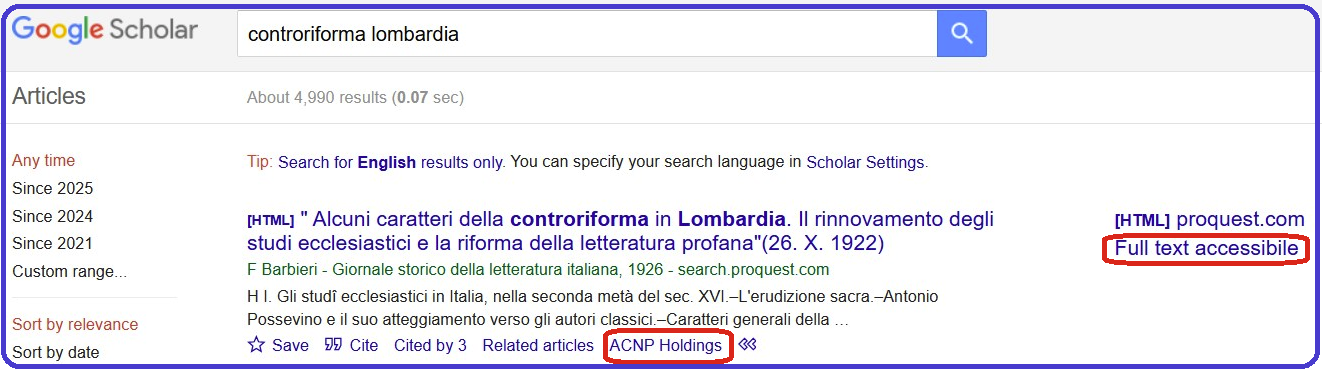
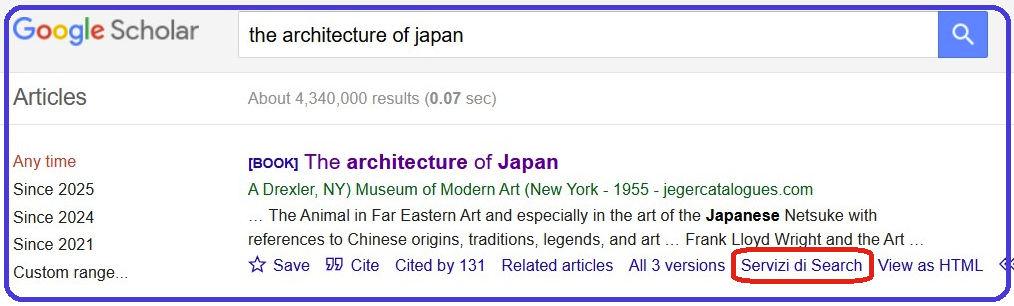
Alternatively, the availability of a print publication, such as a book on Japanese architecture, in local collections could be identified in the SEARCH catalogue of the SNS Library.